
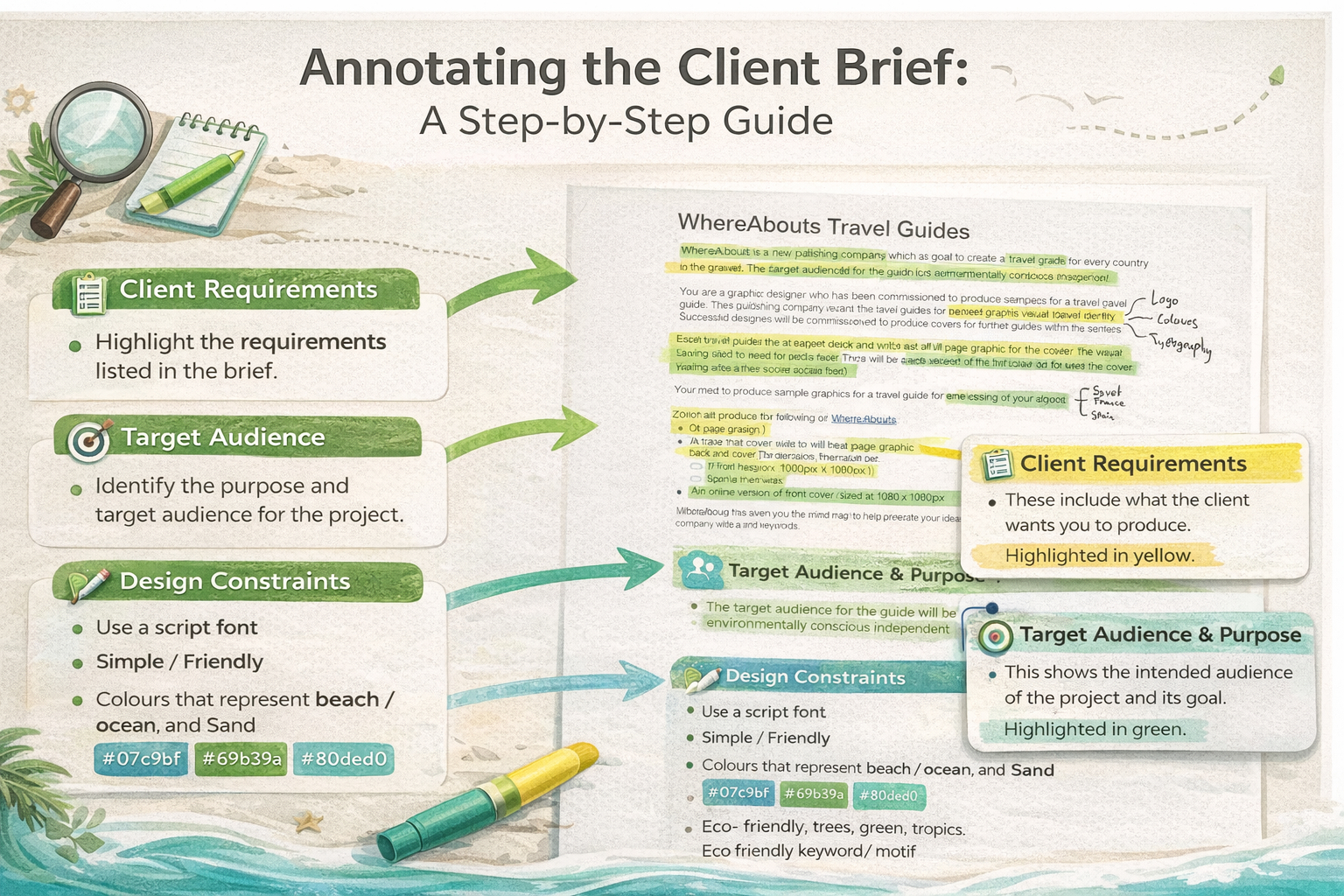
Task 1: Read & Highlight the Client Brief
Read the brief carefully and highlight the key information you will use throughout the project.
Keep your Project Log updated
Screenshot as you work
Link back to brief + audience
Client Brief
- Highlight: client requirements, purpose, target audience, design constraints.
- Create a brief notes table with bullet points under each heading.
- Screenshot: highlighted brief + your completed table.
Project Log evidence:
Add screenshots + 2–4 sentences explaining what you did and why. If it isn't in the log, it doesn't exist.
Quick checks
- Does this link back to the client brief?
- Does this suit the target audience?
- Have you taken screenshots during the process?
- Is your work saved in the correct folder (Task 1 / Task 2)?
Common mistake:
Only adding the final outcome. Marks come from your process and explanations.