
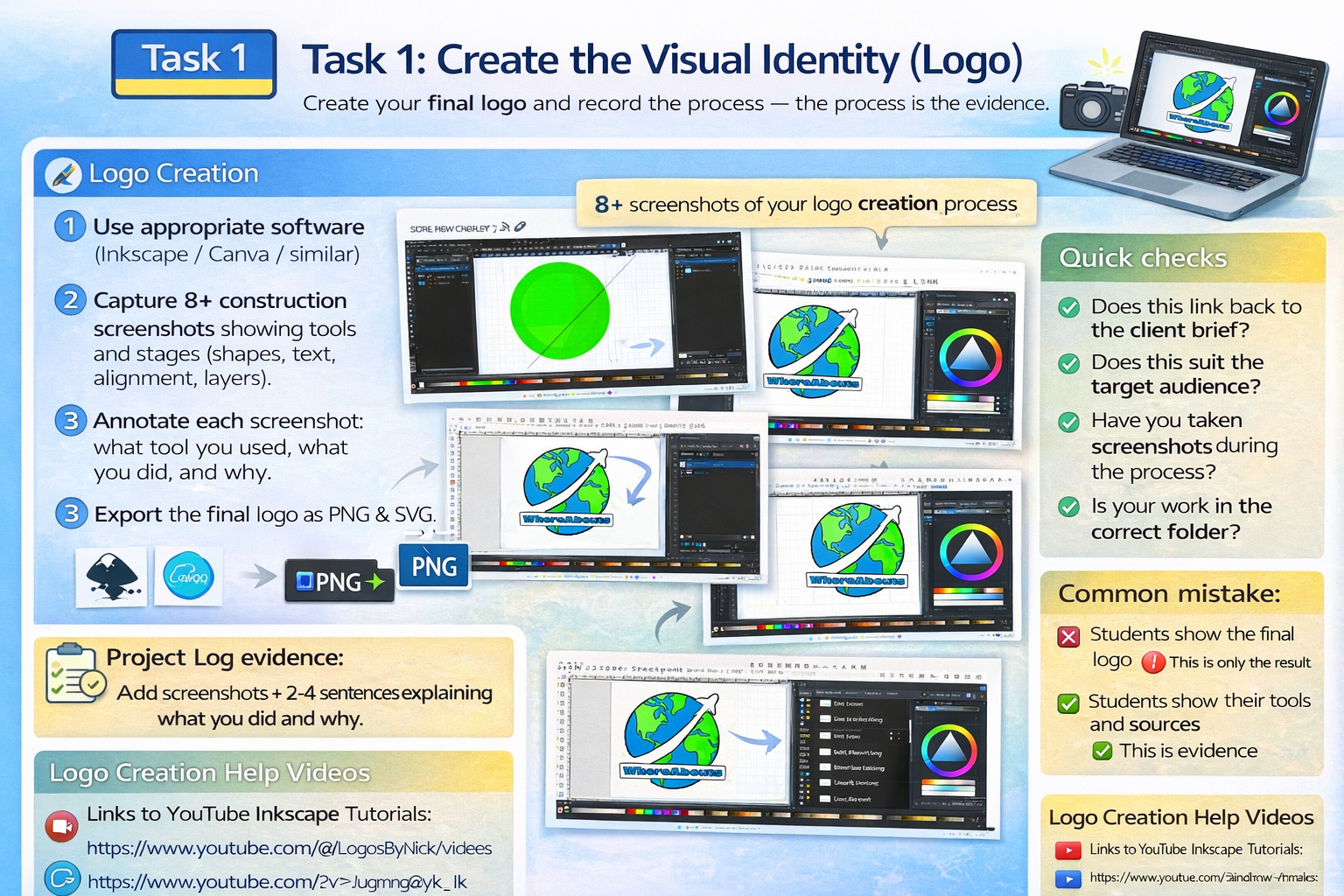
Task 1: Create the Visual Identity (Logo)
Create your final logo and record the process — the process is the evidence.
Keep your Project Log updated
Screenshot as you work
Link back to brief + audience
Logo Creation
- Use appropriate software (Inkscape / Canva / similar).
- Capture 8+ construction screenshots showing tools and stages (shapes, text, alignment, layers).
- Annotate each screenshot: what tool you used, what you did, and why.
- Export the final logo as PNG and SVG.
Project Log evidence:
Add screenshots + 2–4 sentences explaining what you did and why. If it isn't in the log, it doesn't exist.
Quick checks
- Does this link back to the client brief?
- Does this suit the target audience?
- Have you taken screenshots during the process?
- Is your work saved in the correct folder (Task 1 / Task 2)?
Common mistake:
Only adding the final outcome. Marks come from your process and explanations.
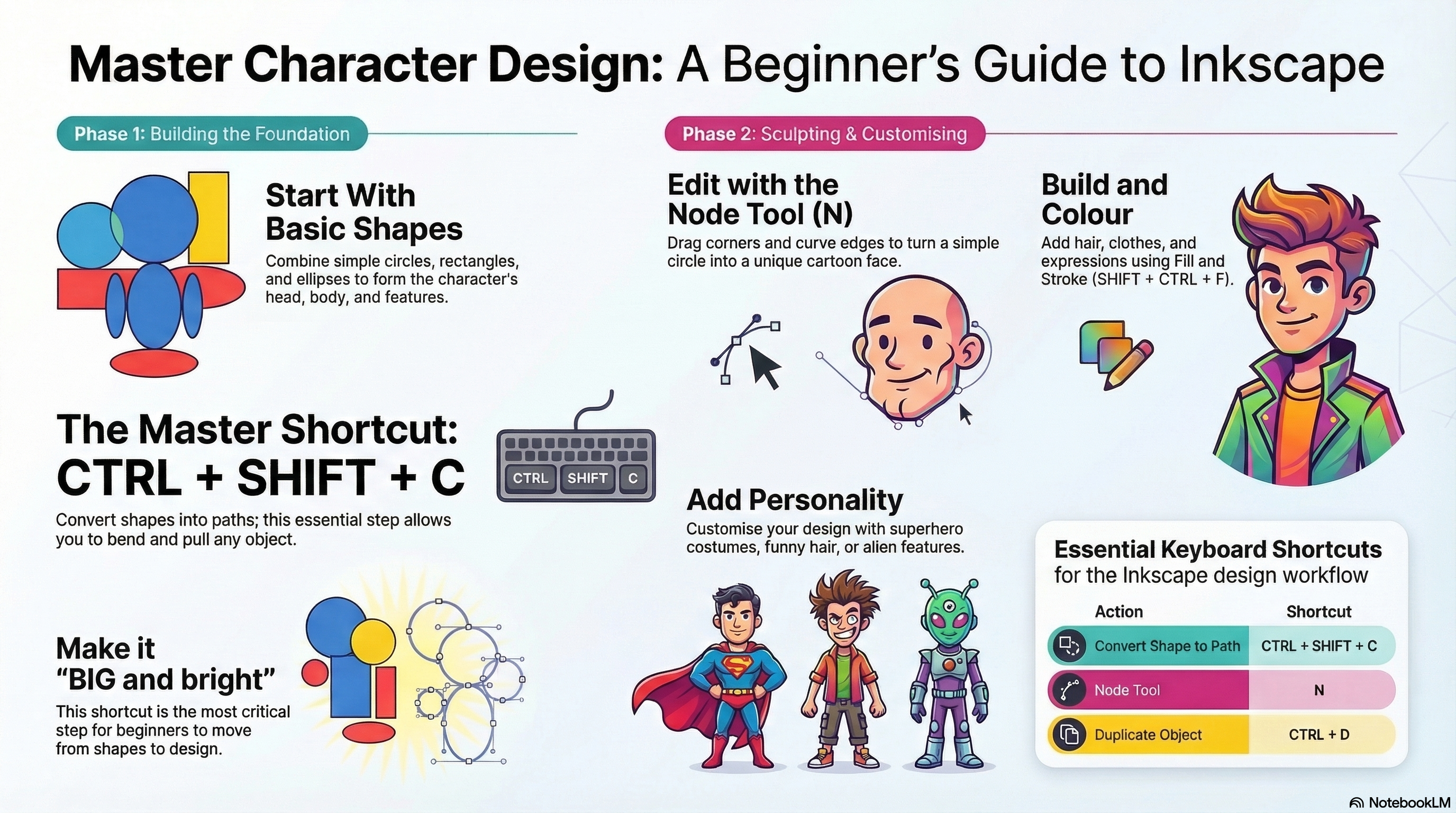
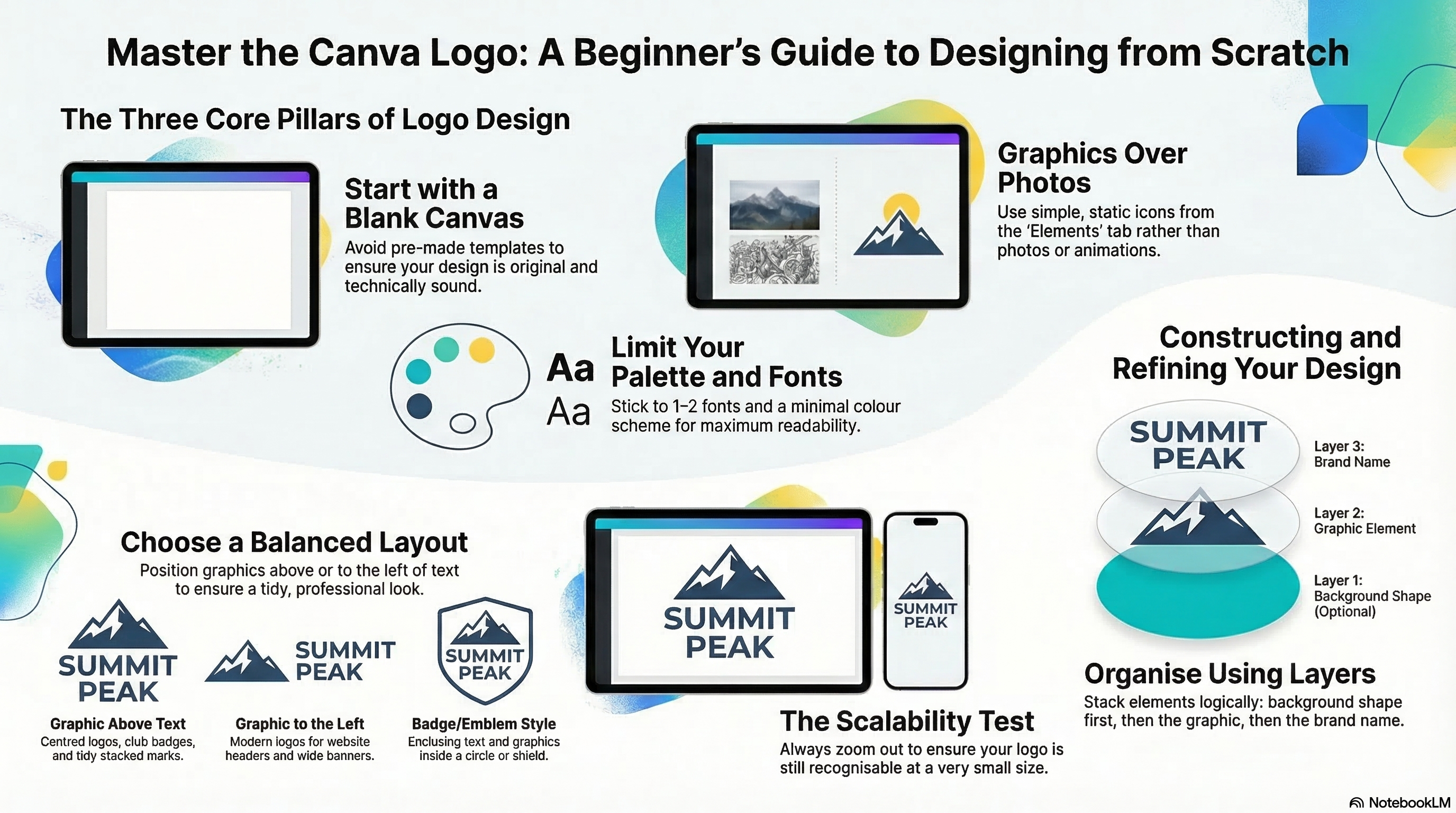
Logo Design Infographics
Use these guides to help you create logos in Inkscape and Canva.
Logo Design Slides
Use these embedded slide guides for step-by-step support.
Inkscape Logo Slides
Canva Logo Slides
Logo Creation Help Videos
Watch these walkthroughs for extra support while creating your logo.
Inkscape Logo Tutorial
Canva Logo Tutorial