
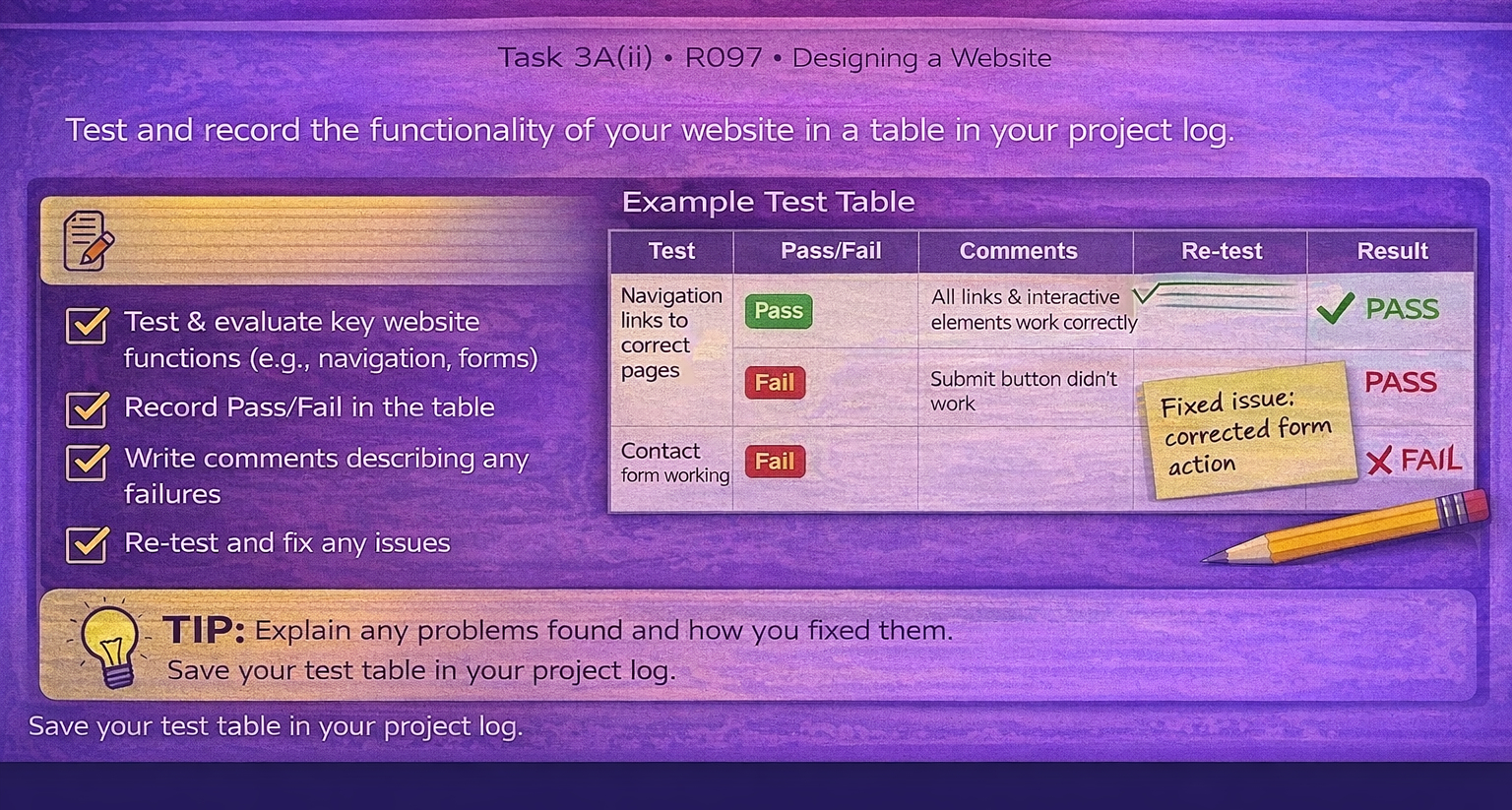
Task 3A(iii) Test functionality
Evaluate technical properties by testing the website's functionality.
Run tests
Record results
Fix + retest
Template:
Functionality to test
- Navigation: menus, buttons, internal links, external links.
- Interactivity: forms/quiz/checklist behaviour and feedback.
- Responsive layout: phone/tablet/desktop display.
- Performance: large images, load time, broken assets.
- Accessibility: readable text, contrast, keyboard access (where relevant).
Evidence
- Completed test table (expected vs actual).
- Screenshots of pass/fail outcomes.
- Bug fixes with before/after screenshots.
- Retest outcomes after each fix.
Watch: How to test your website (functionality testing)
Use this video to guide your testing. As you watch, make notes on what you should test, how to record expected vs actual results, and how to evidence fixes with re-tests.
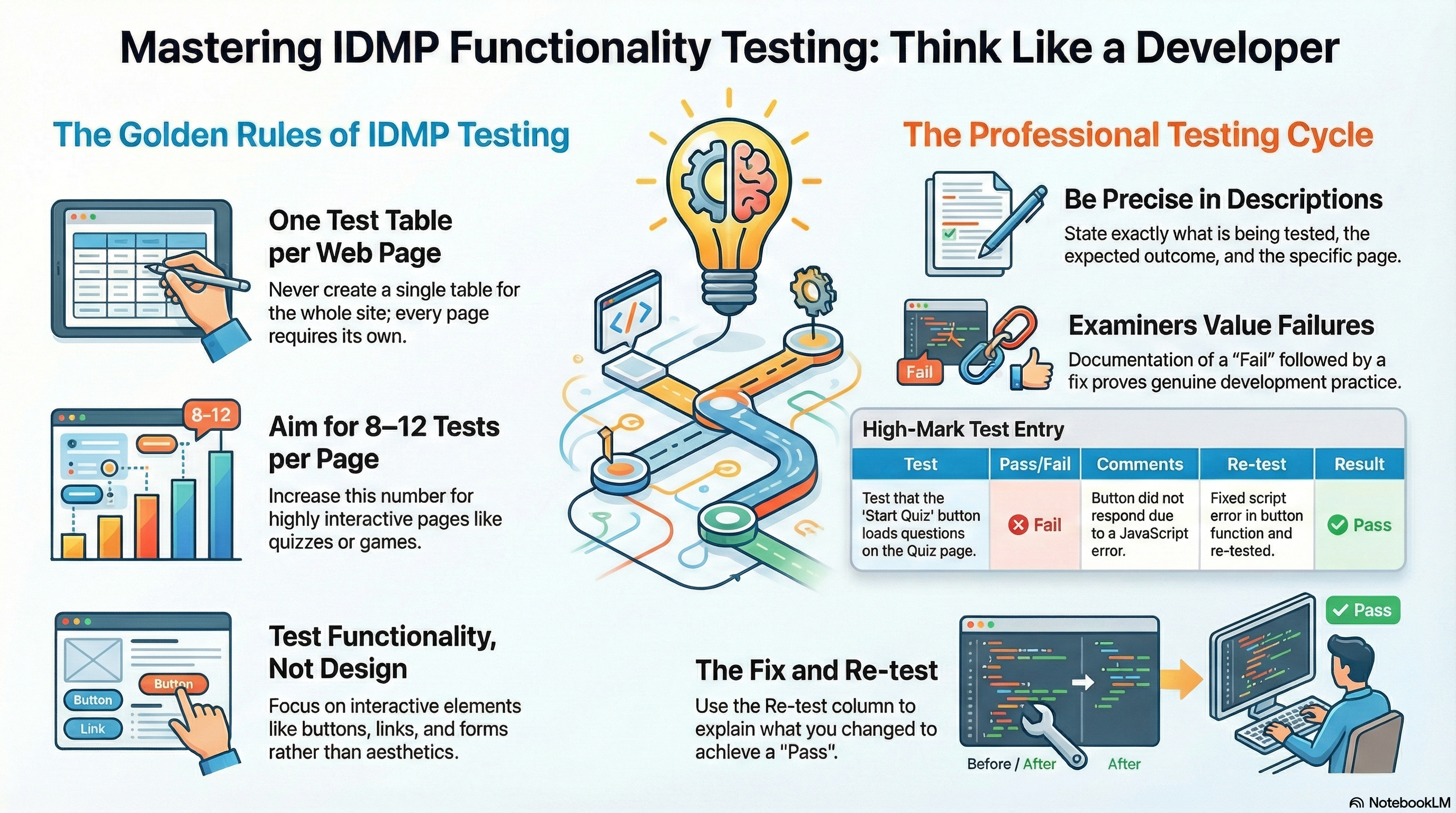
Testing guidance slides (PDF)
Open the slides below (or download them) and use them as a checklist while you carry out your tests.
Download: