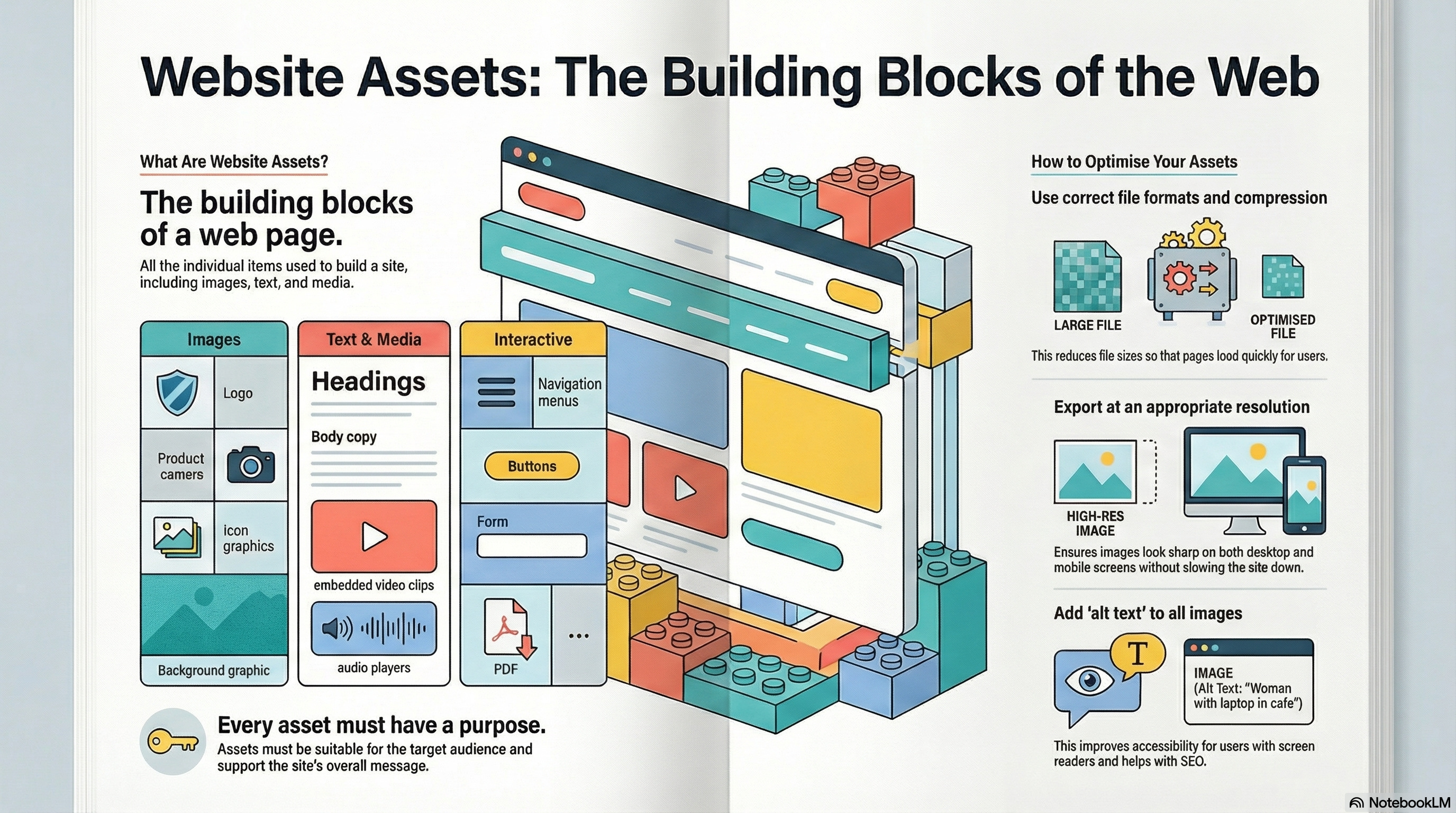
Website assets include all of the individual items that make up a site: images, text,
icons, buttons, audio, video, animations and downloadable files. Choosing the right
assets and optimising them is vital for usability and performance.
What are Website Assets?
Website assets are the
building blocks
of a web page. They include
logos, navigation icons, photographs, illustrations, background images, text content,
buttons, audio clips, embedded videos, animations and downloadable resources such
as PDFs.
Assets must be suitable for the
target audience
and
purpose
of the site, and they must also be stored in appropriate
file formats
and
resolutions so that pages load quickly and look good on different devices.
Key points you must remember
Website assets include images, text, icons, audio, video, animation and downloads.
Each asset should support the purpose, message and branding of the site.
File type and compression affect quality, file size and loading times.
Alt text and captions help with accessibility and SEO.
All assets must follow copyright, IPR and licensing rules.
Website Assets at a Glance
These infographics summarise the main types of website asset and how to prepare them
so pages look professional and load quickly on different devices.
Use these games to practise choosing suitable assets, selecting formats and planning
pre-production documents for web projects.
Pre-production
Document
Doctor
Choose the right planning document for each task and identify key components:
mood boards, storyboards, scripts, wireframes and more.
MCQs
Planning docs
Components
Product design
Media
Codes Challenge
Identify technical, symbolic and written codes in media examples and explain how
they create meaning, impact and engagement.
Explain
Codes & conventions
Camera · Audio · Colour
Mega game · File types
File Types
Forge
Tackle scenarios on images, audio and video to pick the best file format and compression
(lossy or lossless) for each client brief.
Mega game
Formats
Compression
Website assets
Website Asset Inspector
Inspect mock web pages for problems with images, filenames, resolution and optimisation for different devices.
Arcade quizWebsite assetsOptimisation
Exam Practice – Website Assets (AI Marker)
Write your answers in the boxes below, then click Build & Copy AI Marking Prompt. Choose an AI tool and paste the prompt to get examiner-style marking and feedback.
Q1. State one type of asset that could be used on a school website. (1 mark)
Technique:
Give a clear, specific example such as a logo, navigation icon,
photo gallery image or embedded video.
Q2. Explain one reason why images for a website should be compressed. (2 marks)
Technique:
Make one point about file size or loading speed, then explain
how this affects the user experience.
Example structure:
"Images should be compressed because… This means that…"
Q3. Describe one way alt text can improve a website. (3 marks)
Technique:
Describe what alt text is, then develop your answer by
explaining how it helps users with screen readers and can support SEO.
Q4. Explain two factors a designer should consider when choosing images for a charity website homepage. (4 marks)
Technique:
Give two separate factors (e.g. relevance, resolution,
tone, diversity, file size). For each one, explain how it affects the audience's
response or the performance of the site.
Q5. A designer is creating a website for a new eco-friendly clothing brand. Discuss how they
should select and prepare website assets so the site looks professional and loads quickly
on mobile devices. (9 marks)
Technique:
Cover choice of images, logos, icons, colour scheme, fonts and
media, as well as file types, compression and responsive design. Reach a justified conclusion.
Paragraph 1–2: Choosing suitable images, logo style, icons and text content.
Paragraph 3: File formats and compression for images, audio and video.
Paragraph 4: Accessibility (alt text, contrast) and mobile responsiveness.
Final paragraph: Conclusion – which decisions are most important and why.
Level 2 → Level 3 Boost (Q5)
As you type, this will spot what's missing for top-band answers.
Start typing your answer to see tailored targets.
Open an AI tool:
Can You Now…?
List different types of website asset and give examples.
Explain why file type and compression matter for web assets.
Suggest suitable assets for a website aimed at a specific audience.