
Get your assets ready
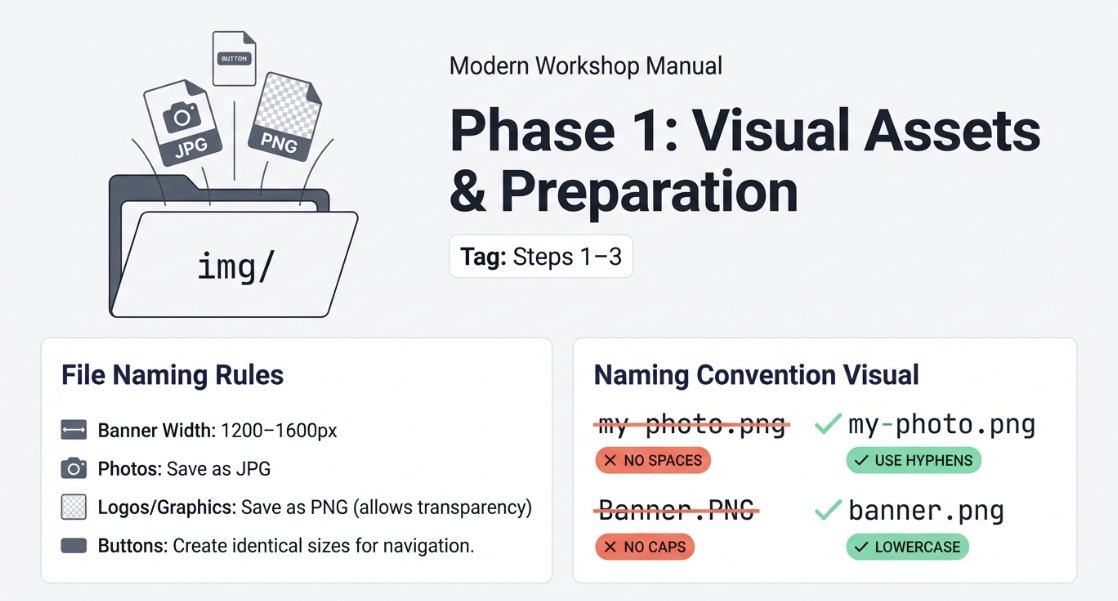
Export your banner, buttons and images from Canva and save them into img/.
Export your banner, buttons and images from Canva and save them into img/.
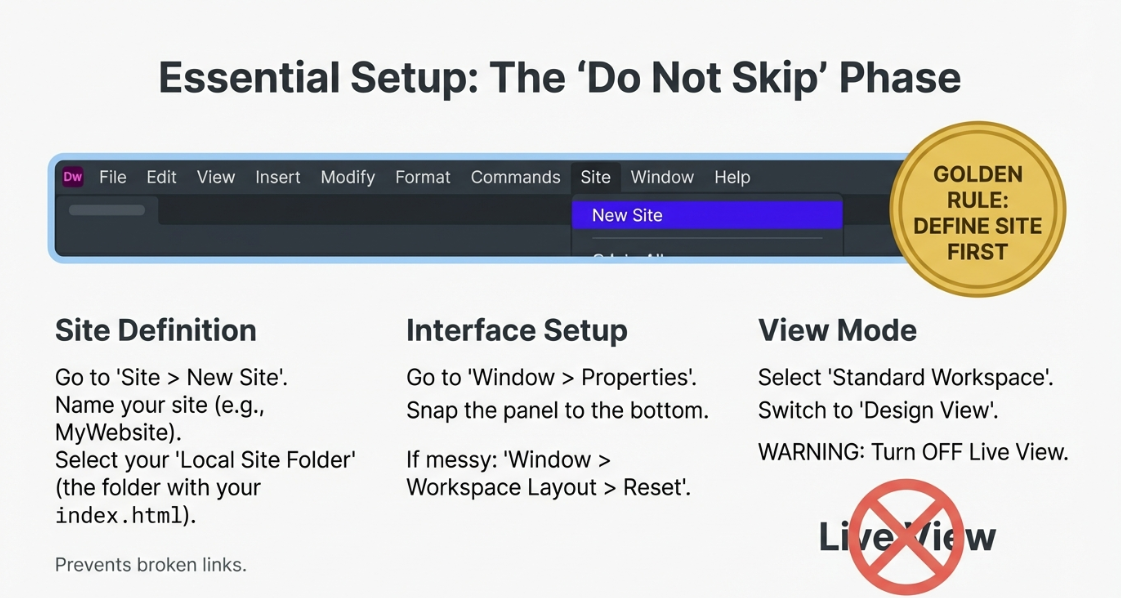
Dock panels, reset the workspace if needed, and work in Design view (not Live View).
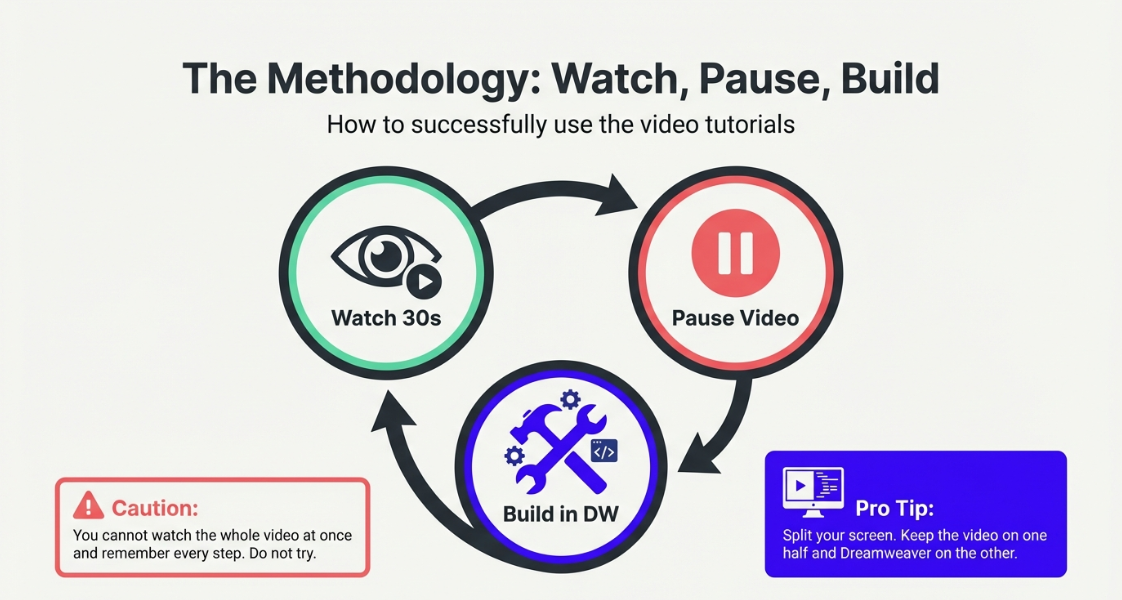
Watch ~30–60 seconds, pause, build that bit, then repeat.
Use the videos to build your site in small chunks: watch ~30–60 seconds, pause, build that part in Dreamweaver, then repeat. This is the fastest way to learn without getting overwhelmed.
You cannot watch the whole video and remember every step. Instead: watch ~30–60 seconds, pause, then build that section in Dreamweaver. Repeat. Split your screen so you can see Dreamweaver and the video at the same time.
Design a strong banner in Canva and export it ready for web.
Tip: Keep the banner width consistent (1200–1600px). Export PNG for graphics, JPG for photos.
Export and organise images so your website stays tidy and easy to build.
Tip: Use clear names like logo.png. Avoid spaces in file names.
Create navigation buttons that look consistent across the whole site.
Tip: Make all buttons the same size. Check contrast so text is readable.
Set up Dreamweaver properly so links, images and panels work as expected.
Tip: If something is "broken", it's usually because the site isn't defined or you're in Live View.
Build the page layout using header, nav, main content and footer.
Tip: Keep content inside a container so it doesn't stretch too wide.
Create a reusable template so every page matches your design.
Tip: Copy the template to create new pages (don't start from scratch each time).
Create your site pages and connect them with navigation links.
Tip: Use simple names: about.html, gallery.html, contact.html.
Add content and images neatly so your layout stays consistent.
Tip: Resize images before importing. Add alt text for accessibility.
Improve layout and readability so pages don't become cluttered.
Tip: Use headings (H2/H3) and white space. Keep paragraphs short.
Embed a YouTube video and keep it responsive on phones.
Tip: Use the embed iframe code. Don't paste the normal YouTube URL into the page.
Export an MP4 from Canva and embed it into your website.
Tip: Keep file sizes sensible (720p is usually enough). Large MP4s load slowly.
Embed a map and make sure it displays correctly on all screens.
Tip: Choose a useful zoom level. Check it doesn't overflow on mobile.
Add a form and understand what data is being collected and where it goes.
Tip: Only collect what you need. Test your form properly.
Finish/polish your site: consistency, spelling, spacing, navigation checks.
Tip: Click every link. Fix broken images. Preview on a phone-sized screen.
Final checks and publish-ready export for GitHub Pages.
Tip: Keep a backup. Ensure your homepage is called index.html.